
3D Printing for Woodworkers – FineWoodworking
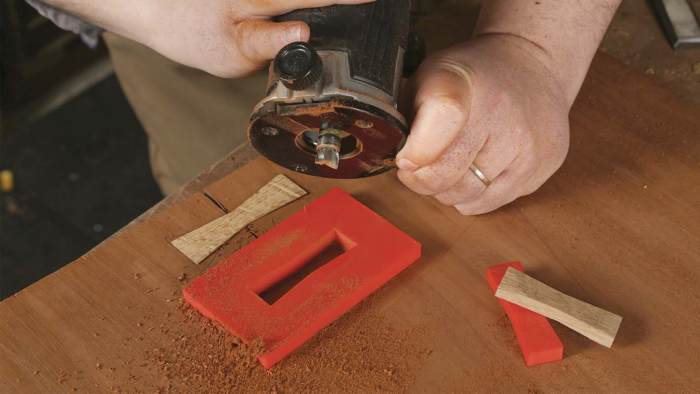
To secure a place in my woodshop, a tool needs to make my shop time more productive, more accurate, and more enjoyable. My 3D printer checks all three boxes. It has allowed me to create custom jigs, templates, layout aids, and problem-solving accessories. Instead of adapting my work to commercially available products, I can design and print exactly what I need, sized precisely for the task at hand. These days it’s hard for me to imagine not having a 3D printer nearby.

The Printer
For woodworking purposes, an exotic or industrial-grade machine is unnecessary. A reliable, mid-priced printer with a reasonably sized build area will handle nearly everything a woodworker needs. Most printers are physically similar, but the firmware, software, and support for more-established brands are worth the added expense. I mostly use the Bambu Lab P1S ($399) and often recommend (and sometimes use) a Bambu Lab A1 ($299). Print-bed size matters more than fancy features. A larger bed allows you to print larger jigs and templates whole instead of breaking them into parts. A larger bed also allows you to run multiple prints at once.

In addition to the printer itself, the material it uses, called filament, is incredibly important to the success of your 3D-printed parts, or prints. Filament plastic is molded into a long, thin strand and coiled onto a spool. The 3D printer feeds that strand into a heated nozzle, melts the plastic, and moves around while squirting the plastic, building up layer after layer of whatever you tell it to make. The type of filament I use most is PLA (poly-lactic acid), which costs about $19 per roll. For most woodworking needs—like jigs, templates, drill guides, layout tools, and shop fixtures—PLA is the preferred material. Yes, there are dozens of filaments out there (e.g., carbon-filled, nylon, TPU, PETG) and even an entire industry devoted to discussing filaments and how game-changing they are, but just as I don’t need a car that goes faster than I am capable of driving, I don’t need a filament that does more than I need it to.

Simplify 3D design
You don’t need to be an engineer to operate a 3D printer, but you do need some basic computer literacy. Having said that, some of my favorite prints require no more effort than downloading a file someone else has designed and then sending it directly to the printer.

Although many printers can be monitored and even controlled from a phone or tablet, serious work—file preparation, design tweaks, and setup—requires a computer. This doesn’t mean that to use a 3D printer you need to be an expert in CAD programs, but eventually you’re probably going to want to update and customize models instead of accepting them as they are. As I made more prints, I practiced the program and became quite adept at using CAD. Often I could model something in a couple of minutes, send it to the printer, go eat lunch, and then find a customized jig waiting for me when I returned.

Becoming familiar with a slicer will also serve you well. A slicer is basically a translator program between the model and your 3D printer. You drag a model file in, and the software does the heavy lifting. It’s called a slicer because it takes that solid 3D model and breaks it into hundreds (or thousands) of thin layers—slices—that the printer will build one on top of the next. You can make some macroadjustments to a model in the slicing software, such as scaling a model up or down or even cutting a model up to print a segment of it. For example, if I’m printing something that needs to fit onto something else, like a dust-collection fitting, I will tell the slicer to print just that section of the model so I can test the fit and don’t waste time and material printing something that doesn’t fit properly.
Ben Strano builds ukuleles and robots in western Connecticut, as well as being the editor of Finewoodworking.com.
To view the entire article, please click the View PDF button below.
Sign up for eletters today and get the latest techniques and how-to from Fine Woodworking, plus special offers.
Download FREE PDF
when you enter your email address below.


